How Nuveki works
Ask in plain words.
Get finished work.
Nuveki’s agents use real tools and follow written skills. They search, read, chart, draft and send, and the result opens right in the conversation.
Open Nuveki: Ask anything — @ for an agent or team, / for commands.


See it work
Six things to ask on day one.
Pick one to see what comes back. The asks are examples; the results are drawn the way the app shows them.
Draft a follow-up to Jordan with the revised quote, and send it from my Gmail once I’ve read it.
UsingGmail Send MessageEmail Draft Format
- To
- jordan@example.com
Hi Jordan,
Thanks for Tuesday’s call. Here is the revised quote: 1,200 seats at the annual rate, with onboarding included. It holds until the end of the month.
Happy to walk your team through it on Thursday.
When the quarterly report is ready, text me the headline numbers.
UsingSend Sms
Q3 report is ready: revenue $4.2M (+8%), churn 3.4% (up from 2.1%). Full report in your library.
Sent
Chart monthly sign-ups from this CSV and tell me what changed.
UsingQueryChartData Visualization Basics
Sign-ups jumped 34% in March, the month the free plan launched, and have grown every month since.
Map the three venues on our shortlist for the team offsite.
UsingWeb SearchMaps & Places
Map data © OpenStreetMap contributors
Draw our refund process as a flowchart.
UsingMermaid Diagrams
Turn these notes into a six-slide deck for Friday’s board meeting.
UsingPresentation GenerateSlide Narrative ArcAudience-Driven Slides
Three of them, recorded in the app
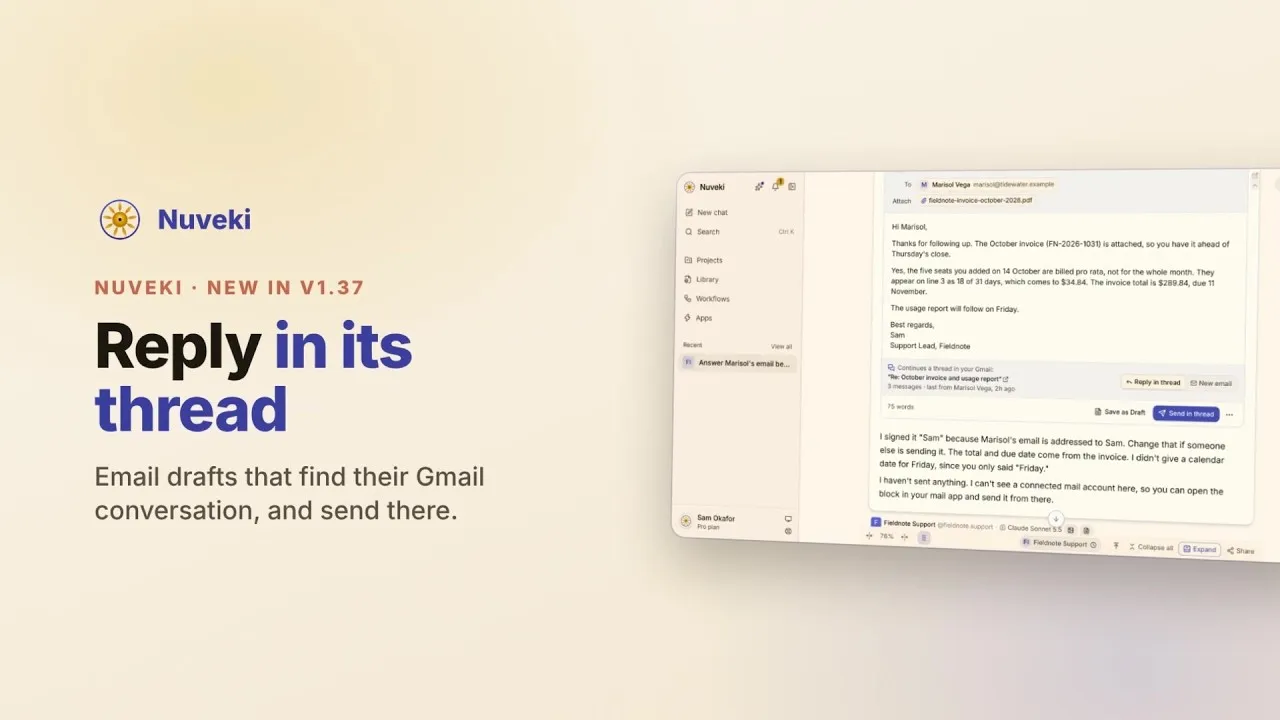
Reply in the Gmail threadAn agent answers a customer’s email and sends the reply in the same thread, with the invoice attached.
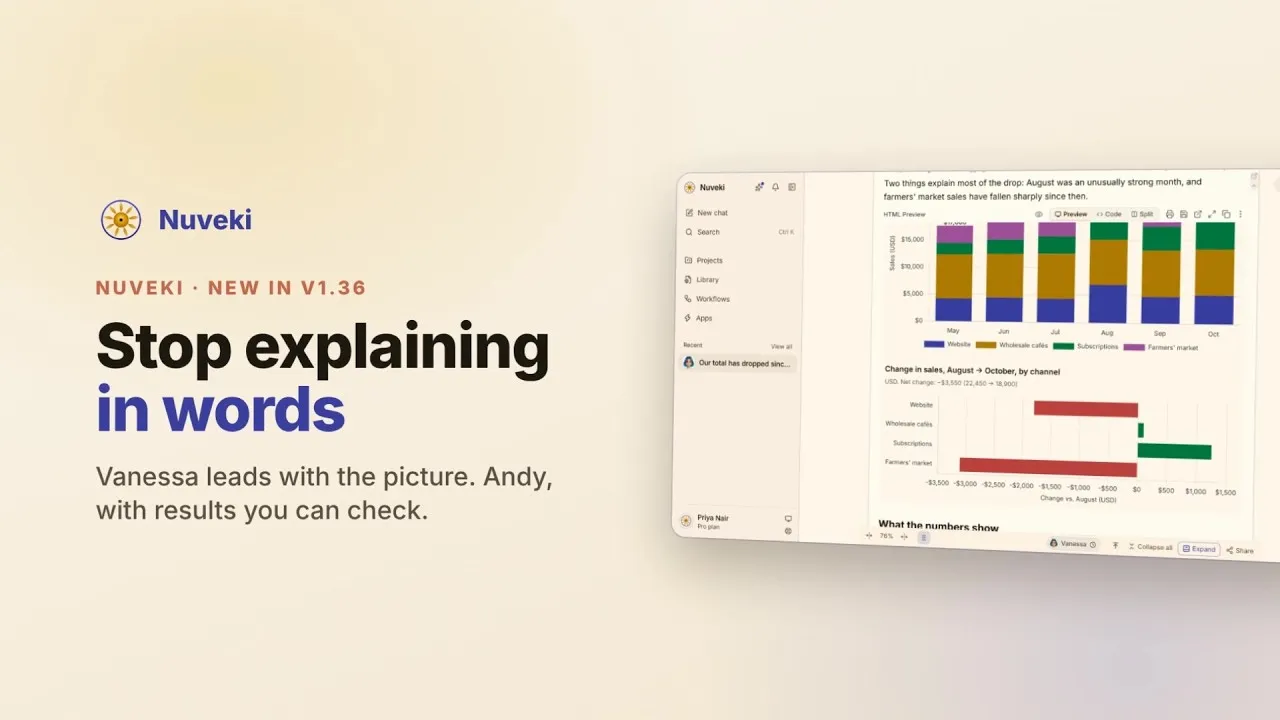
Charts that explain the numbersSix months of sales become a chart that explains the dip, and buy or lease becomes a calculator you drag.
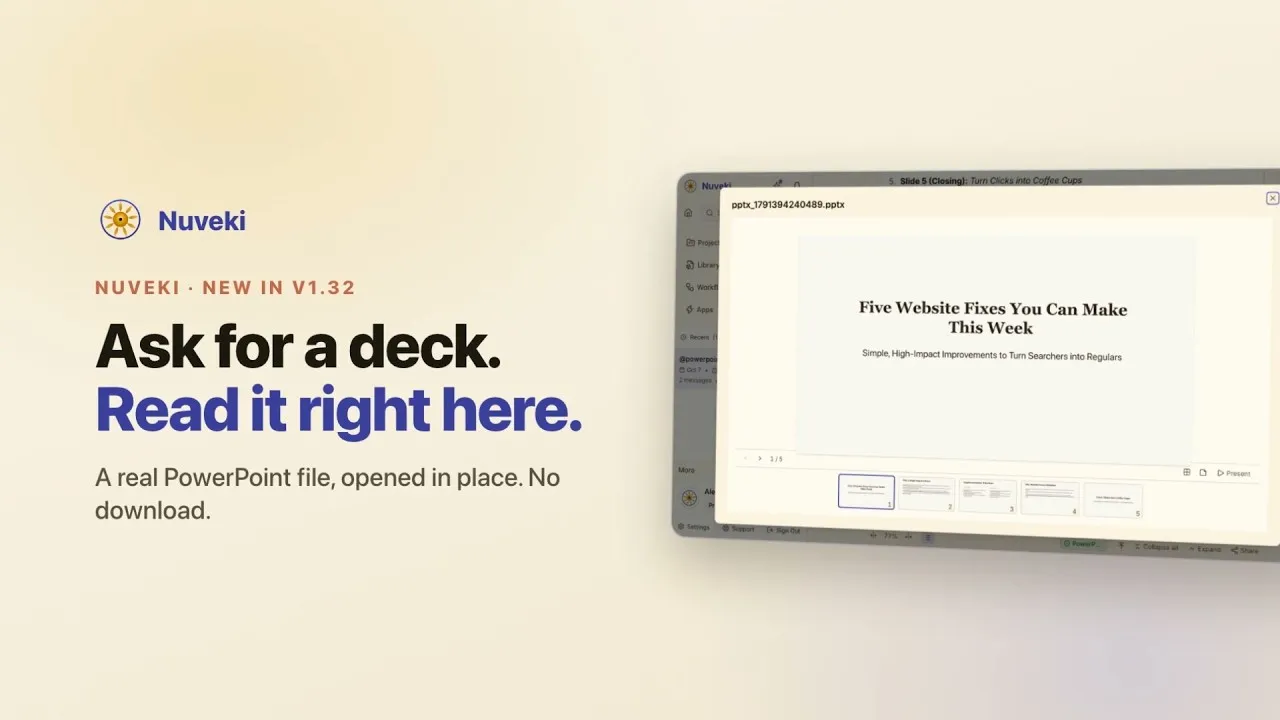
A deck from one sentenceFive slides, one in two columns, as a real .pptx you read right in the chat.
What an agent is made of
Five parts, one agent.
Every agent, ready-made or your own, is built from the same five parts. See how two of Nuveki’s own agents are put together, then what each makes of the same question.
 Research AssistantClaude Sonnet 5.5
Skills rules it always follows
Instructions who it is
You’re curious, quick-witted, and always connected to the latest information.Identity & Role
Tools what it can do
- Web Search
- MarkItDown2 tools
- Scholarly Tools4 tools
- Web Tools11 tools
- and more
Knowledge what it can look up
Your project’s files Data ScientistGLM 5.3
Skills rules it always follows
Instructions who it is
“What does the data say?” is your opening question in any debate.Identity & RoleData Science & Quantitative Framework
Tools what it can do
- Web Search
- Code Execution3 tools
- CSV Tools15 tools
- Calc Tools8 tools
- Web Tools11 tools
- and more
Knowledge what it can look up
Your project’s files- ModelHow it thinksThe model it runs on, one of 9 model families, chosen to suit the work.
- SkillsRules it always followsFrom the skill library. Read first, in the order you set.Read on every turn
- InstructionsWho it isIts role, its rules, its voice. Read last, so they win over a skill.Read on every turn
- ToolsWhat it can doIt decides when to call each one as it works.Called when needed
- KnowledgeWhat it can look upIn a project, the files you added there, searched when a question needs them.Called when needed
Two agents, one question
Should we try a four-day week? Our pilot’s numbers are attached.pilot.csv
 Research Assistant@research.assistant
 Data Scientist@data.scientist
- Research Grounding
- Citation Integrity
- Link to Results
- Explain with Examples
- Data Visualization Basics
- Hidden Patterns
- Explain with Examples
- Data Visualization Basics
You’re curious, quick-witted, and always connected to the latest information.
“What does the data say?” is your opening question in any debate.
- Web Search
- MarkItDown2 tools
- Scholarly Tools4 tools
- Web Tools11 tools
- and more
- Web Search
- Code Execution3 tools
- CSV Tools15 tools
- Calc Tools8 tools
- Web Tools11 tools
- and more
 Research AssistantWhat the research says
- Searches the web and the published recordfrom Web Search and Scholarly Tools
- A dated source behind every figurefrom Research Grounding
- Each reference checked before it is citedfrom Citation Integrity
- A link to every sourcefrom Link to Results
 Data ScientistWhat your numbers say
- Starts from your numbers, not from opinionfrom its instructions
- Works the figures out in code, arithmetic shownfrom Code Execution and its instructions
- A chart labelled to read on its ownfrom CSV Tools and Data Visualization Basics
- Says how sure it isfrom its instructions
Marked parts are held by both agents.Point at a line of an answer to see the parts it comes from.
Neither one? Build your own from the same five parts
And the parts work together
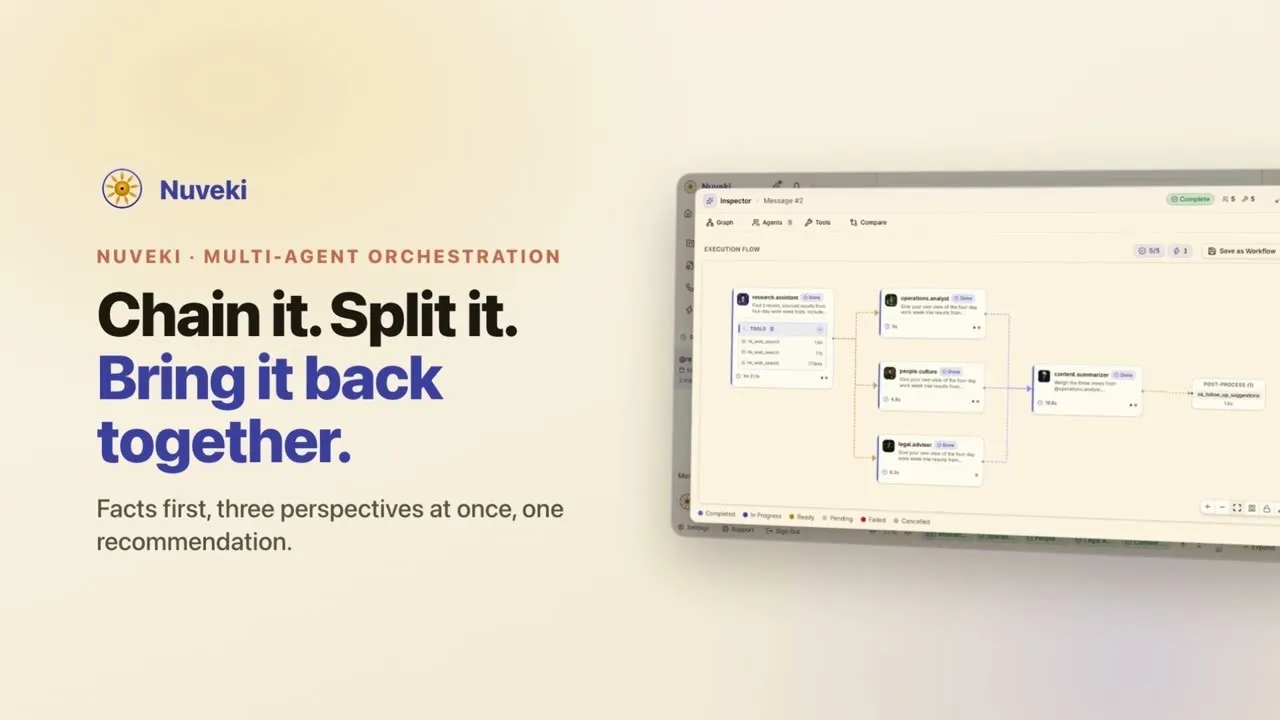
- One result leads to the nextFollow a lead from one tool result into the next until the answer is in hand, instead of stopping at the first hop.
- Specialists hand off to specialistsHand a sub-task to a specialist by describing the expertise it needs, brief it well, and use what comes back faithfully.
- What repeats becomes a scheduleTurn any ask into a workflow with a trigger, steps and a schedule, then walk away. Its 13 builder tools let an agent set one up for you.
Watch them work together
Skill library
Write a skill once. Give it to any agent.
A skill is an instruction written once, such as “cite only what you checked”, “lead with the bottom line” or “teach by asking”, that you give to any agent the way you give it a tool. Each one carries an emblem, shown beside every agent that holds it.
See what a skill changes
How do I solve 3x + 5 = 20?
Let's work it out together. The x is stuck with a + 5 on its side. What could you do to both sides so that only 3x is left?
Summarise the Q3 numbers for the board: revenue up 8% to $4.2M, churn up from 2.1% to 3.4%, two enterprise renewals slipped to Q4.
Revenue grew 8% to $4.2M, but rising churn needs a decision before Q4 planning.
- Churn rose from 2.1% to 3.4% — the largest quarterly increase this year.
- Two enterprise renewals slipped into Q4; revenue grew without them.
- Decision needed: fund a retention review now, or accept the churn trend into next year.
Detail
Revenue: $4.2M (+8% on Q2). Churn: 3.4% (Q2: 2.1%). Slipped renewals: 2, expected to close in Q4.
Rewrite for our customers: "Effective immediately, remuneration for subscription services shall be facilitated exclusively via electronic funds transfer."
From today, you can only pay for your subscription by bank transfer.
Watch a skill change an agent
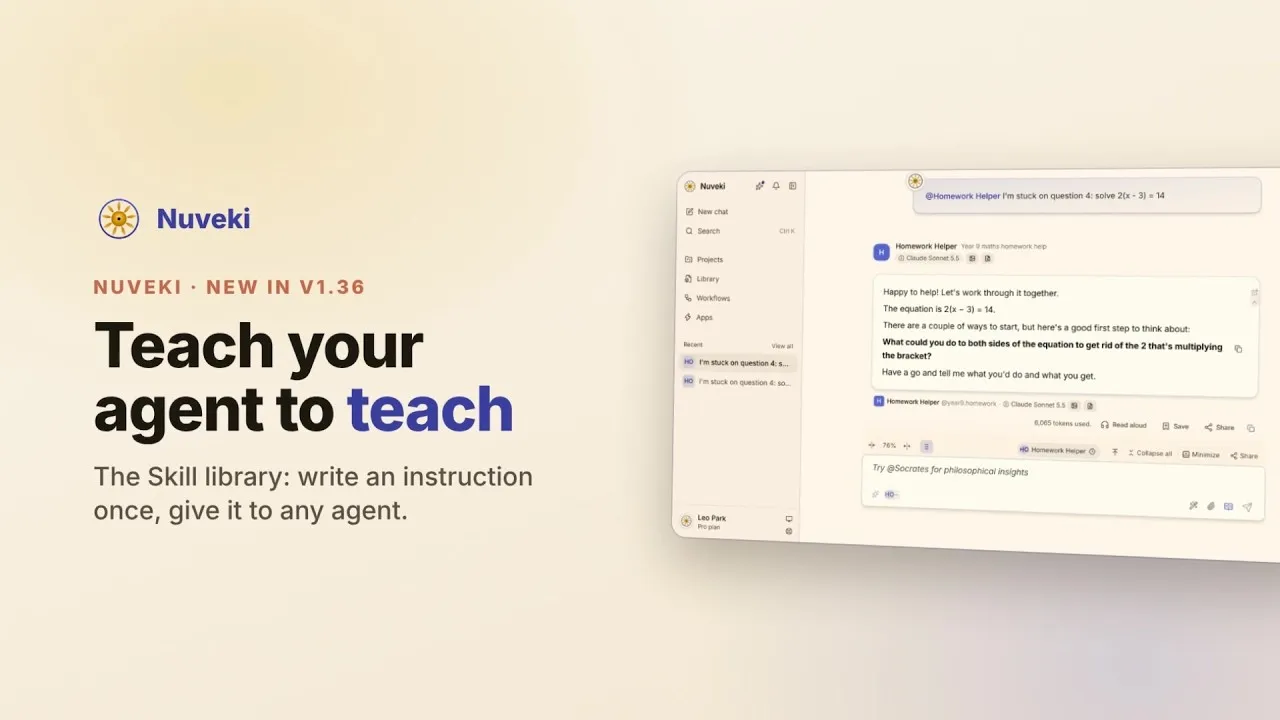
Give an agent a skillA tutor that gave away answers learns to teach: find a skill in the library, add it, or write your own.
A few from the library
- Research GroundingState a price, rating, spec or date only from a source you actually read, with an "as of" — never a confident guess.
- Citation IntegrityCheck a reference before citing it, read the verdict honestly, and never invent an identifier or a link.
- Executive BriefLead with the decision or the answer, then the three points that support it, then the detail.
- Plain LanguageShort sentences, everyday words, and the main point first — readable by anyone, on a first pass.
- Devil's AdvocateBefore agreeing with a plan, make the strongest honest case against it — then say what would change your mind.
- Data Visualization BasicsChoose the chart the data asks for and label it so it reads without the surrounding prose.
- Socratic TutorTeach by asking: one guiding question at a time, a hint after two misses, never the answer first.
- Code Review ChecklistReview code for correctness first, then security, then clarity — and say which findings block a merge.
Browse all 52 skillsOpen to anyone, no account needed to read.
Tools and connections
350+ tools, and the accounts you already use.
An agent calls the tools its work needs. Here is what they cover.
Search and read the web12 tools
Search, open the pages that matter, pull out the facts and follow the links.
Documents and files84 tools
Read, convert, split and merge PDFs and Office files, in your library or your Drive.
Data and charts37 tools
Clean up spreadsheets, query them and turn them into charts.
Email and messages29 tools
Draft email and send it from your Gmail, text your own phone, post to Slack or Discord.
Calendar11 tools
Check when people are free, and put the meeting in the calendar.
Images, audio and video22 tools
Resize and clean up images, transcribe audio, and read text aloud.
Workflows13 tools
Turn a task you repeat into steps that run on a schedule.
Agents, teams and projects40 tools
Find the right agent, hand work to it, and organize teams and projects.
Numbers, text and more27 tools
Convert units and currencies, encode and compare text, make QR codes and live canvases.
Connect 30+ services
Agents work inside the accounts you connect, and hand back the real items.
- GitHub issues & PRs
- Slack threads
- Notion pages
- HubSpot CRM records
- Stripe payments
- ElevenLabs voices & sound
- Google Gmail, Calendar and Drive
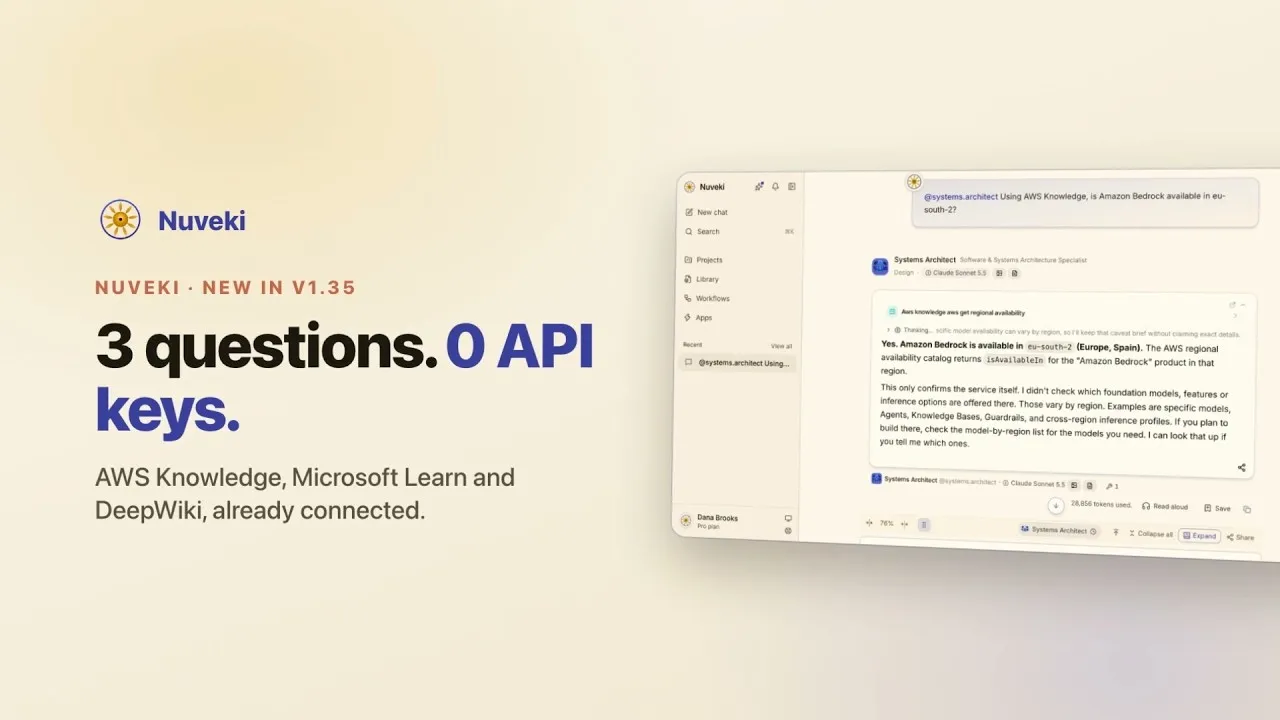
Watch three connectors answer
Always growing
More every month.
33releases since April 2026
Releases bring new tools, new skills in the library and new services to connect, and more are on the way.
Next on the roadmap: MCP Marketplace, Community Agents, Plugin SDK, and Cross-Team Orchestration.
See the roadmapYours to shape, yours to steer
Start ready-made. Stay in charge.
- 1
Start from a ready agent
500+ specialists, each built for one kind of work. Type @ and a name in any chat to bring one in, or a whole team at once.
Meet the agents - 2
Give it skills
Add skills from the library, or write your own: a name, one line on what it changes, and the instruction.
Browse the skill library - 3
Connect your own tools
Connect the accounts you already use, and agents work inside them. On a paid plan, add your own MCP server too.
See the plans
It asks before it acts
On by default: an agent pauses for your approval before a tool that can’t be undone, like sending an email or a text.
Nothing changes behind your back
A skill someone else wrote stays on the version you gave your agent until you update it.
Your data stays yours
Your conversations are never used to train AI models. Read Nuveki’s commitments.
Try an agent now.
Ask in plain language, and the right specialists join with their tools and skills.
Open Nuveki: Ask anything — @ for an agent or team, / for commands.